Northwind: A SaaS Marketing Site
A marketing site and account screens for a team-analytics startup, designed in Figma around a single ask: start a free trial.
- Client
- Northwind (concept product)
- Role
- Web & Brand Designer
- Year
- 2026
What I did
- Wrote the design brief: positioning, palette, type, page list
- Logo mark and its animated reveal
- Six marketing pages and three account screens in Figma
- Phone layout of the product dashboard
- First-pass layouts generated with Figma AI from my brief, then redesigned by hand
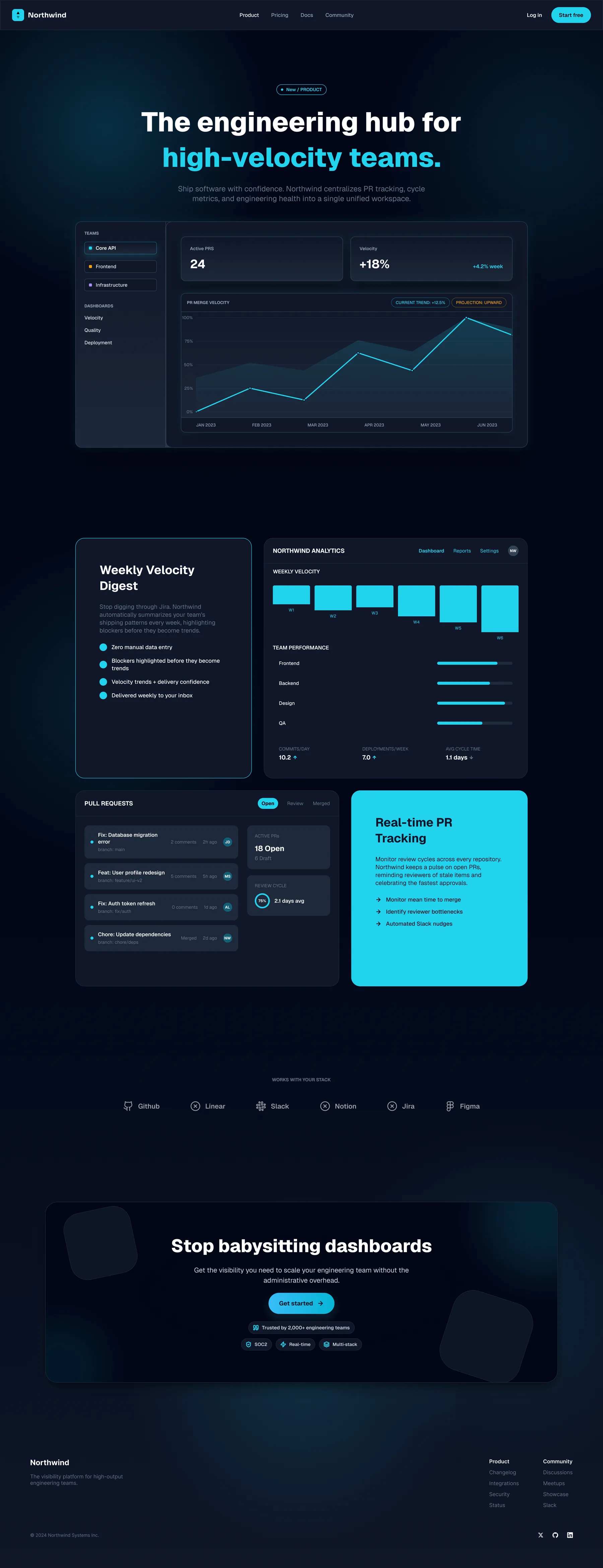
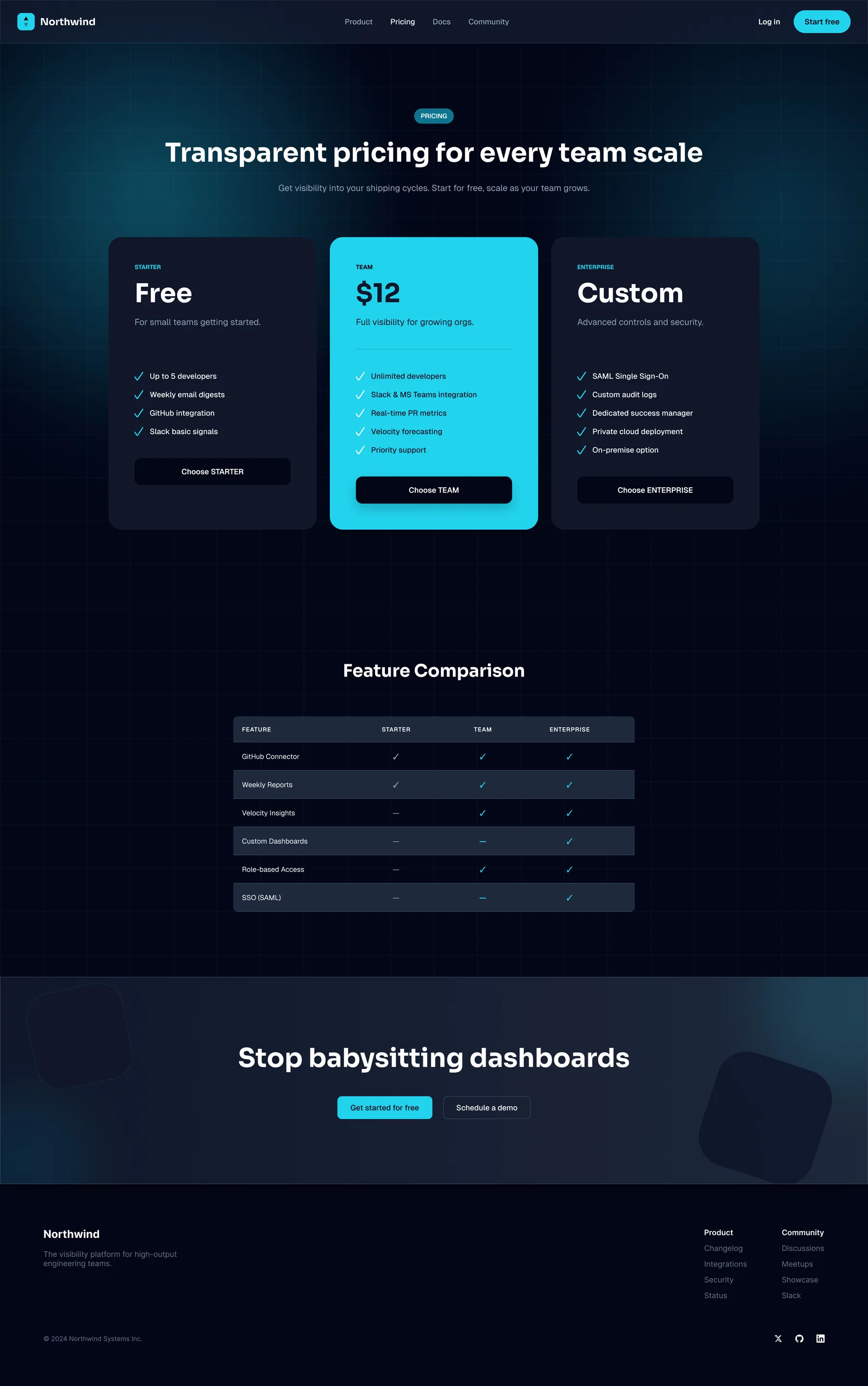
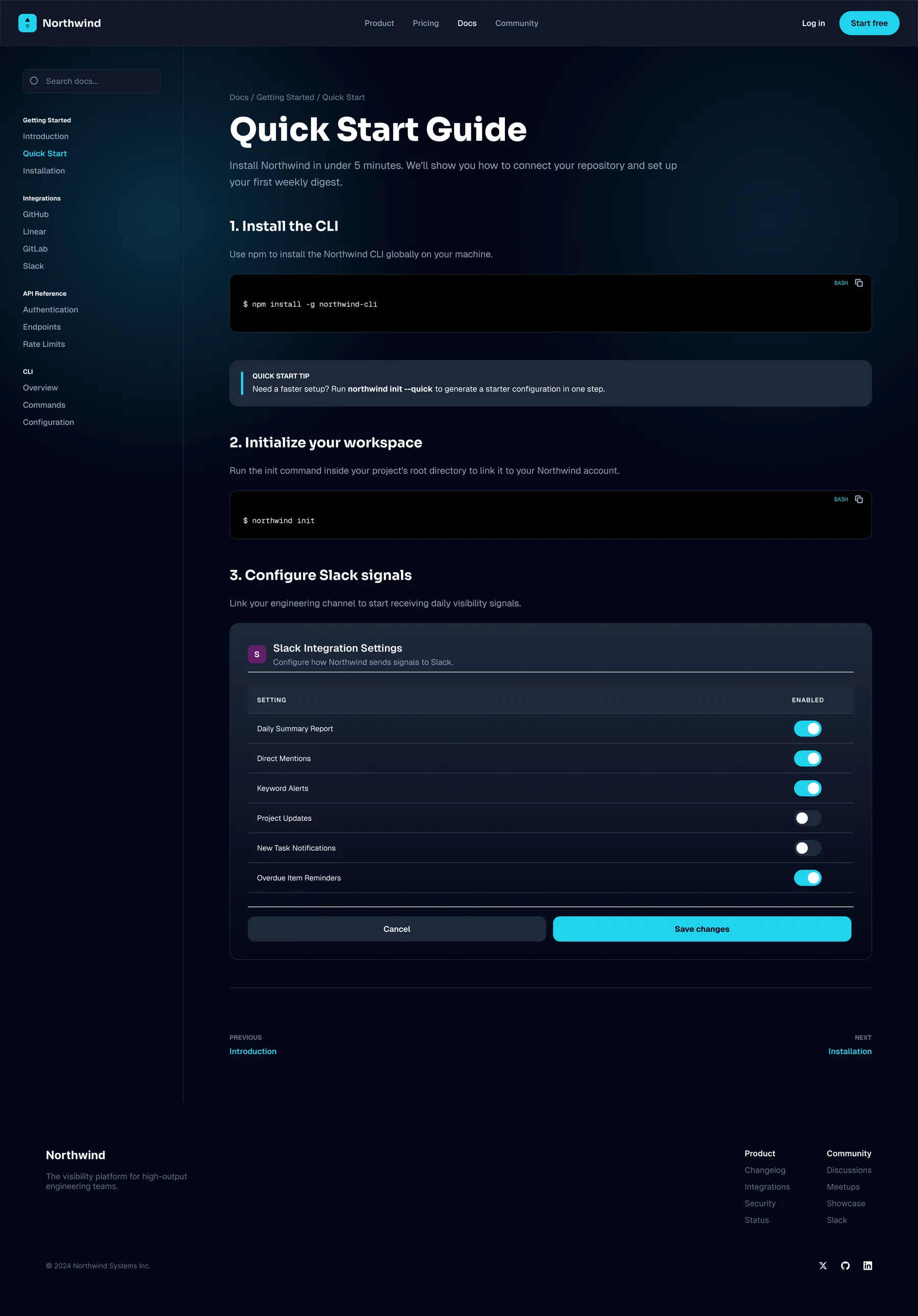
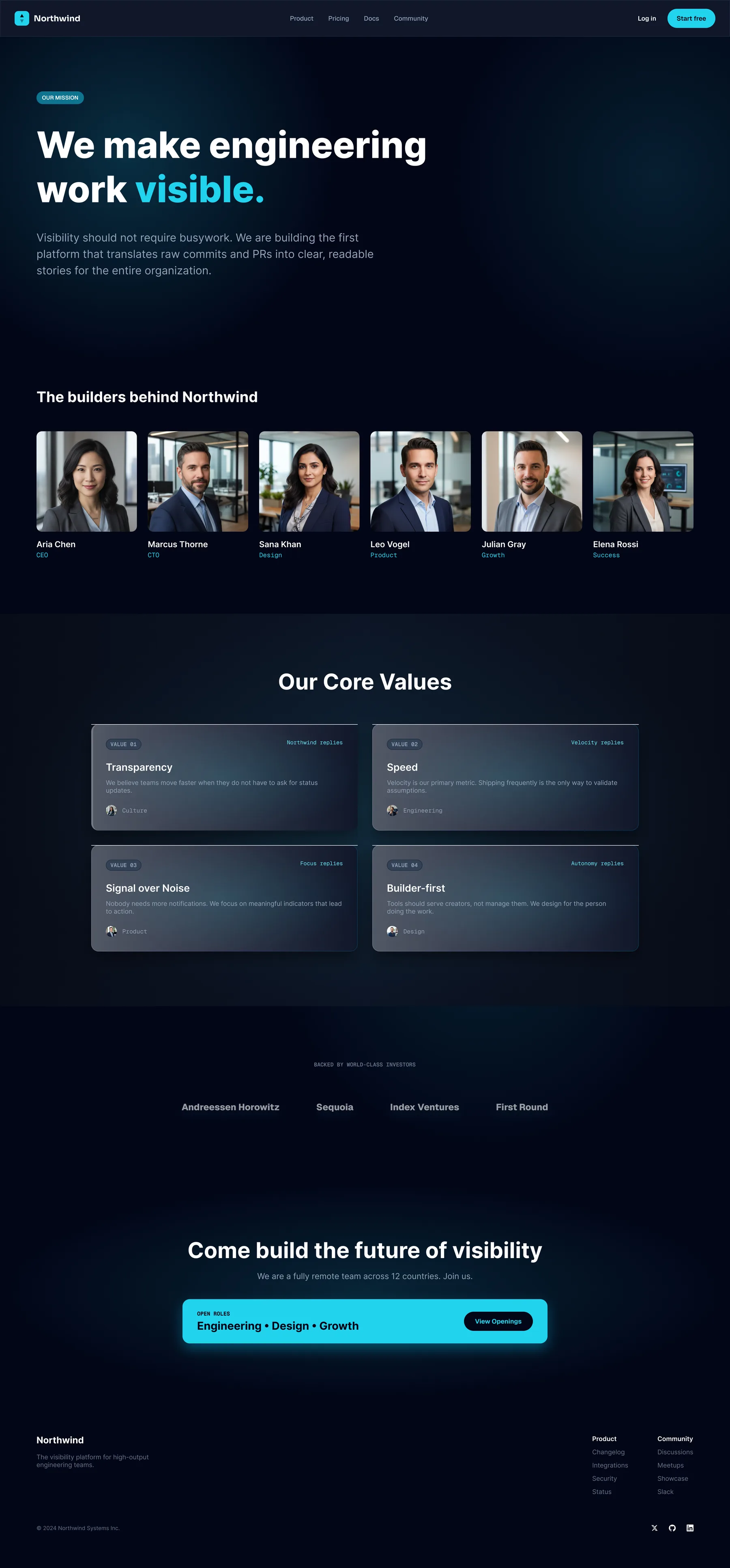
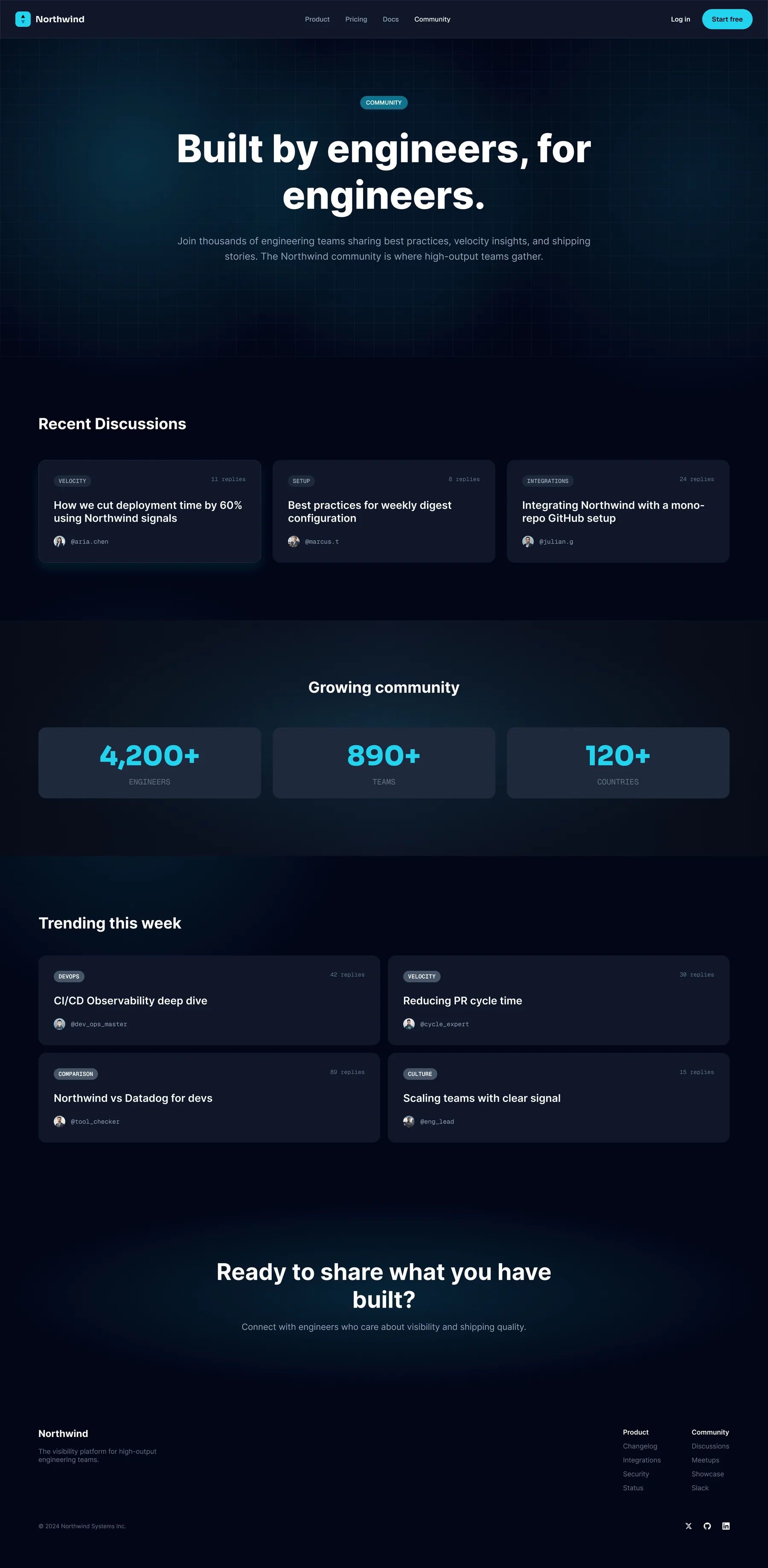
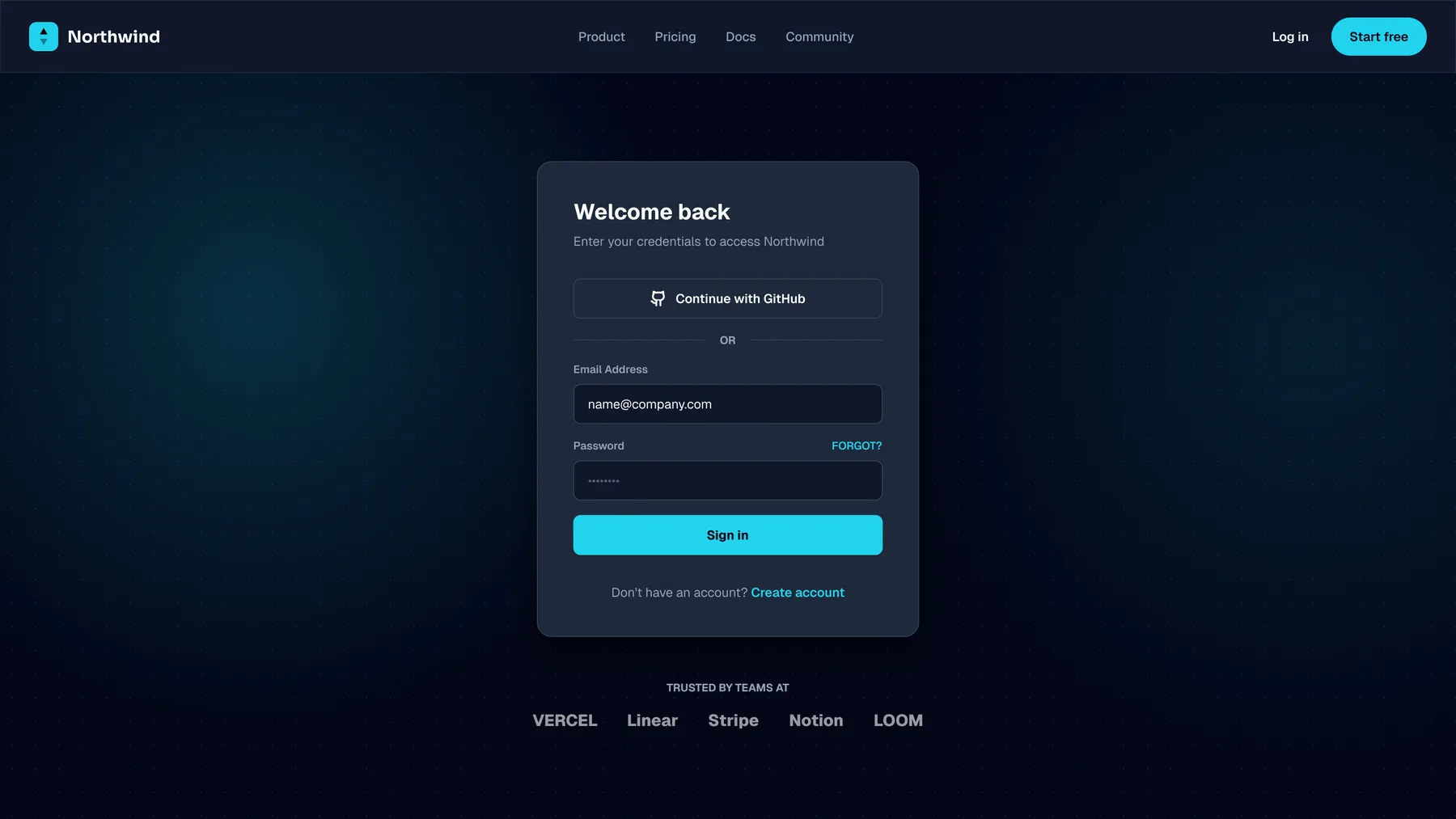
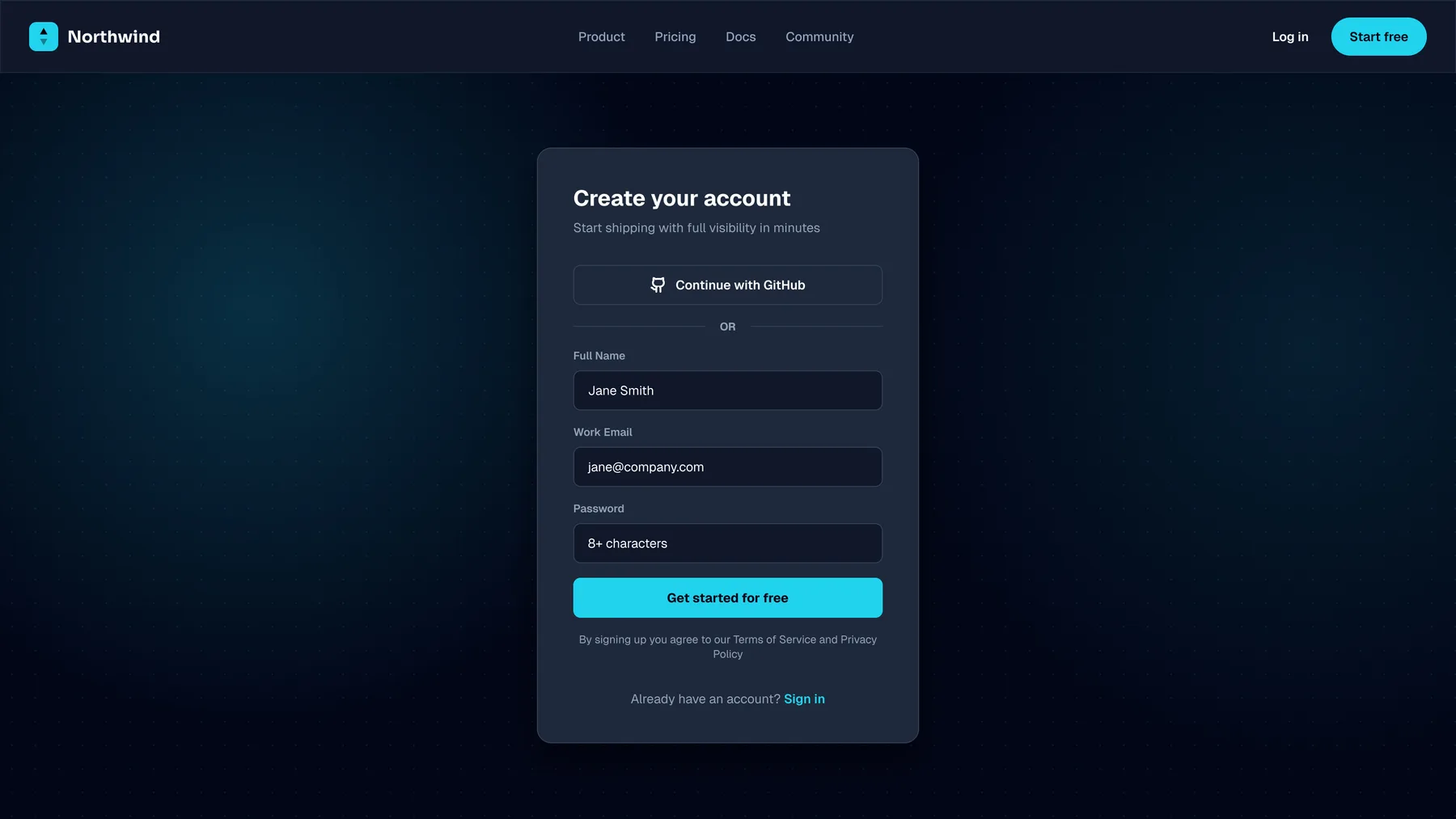
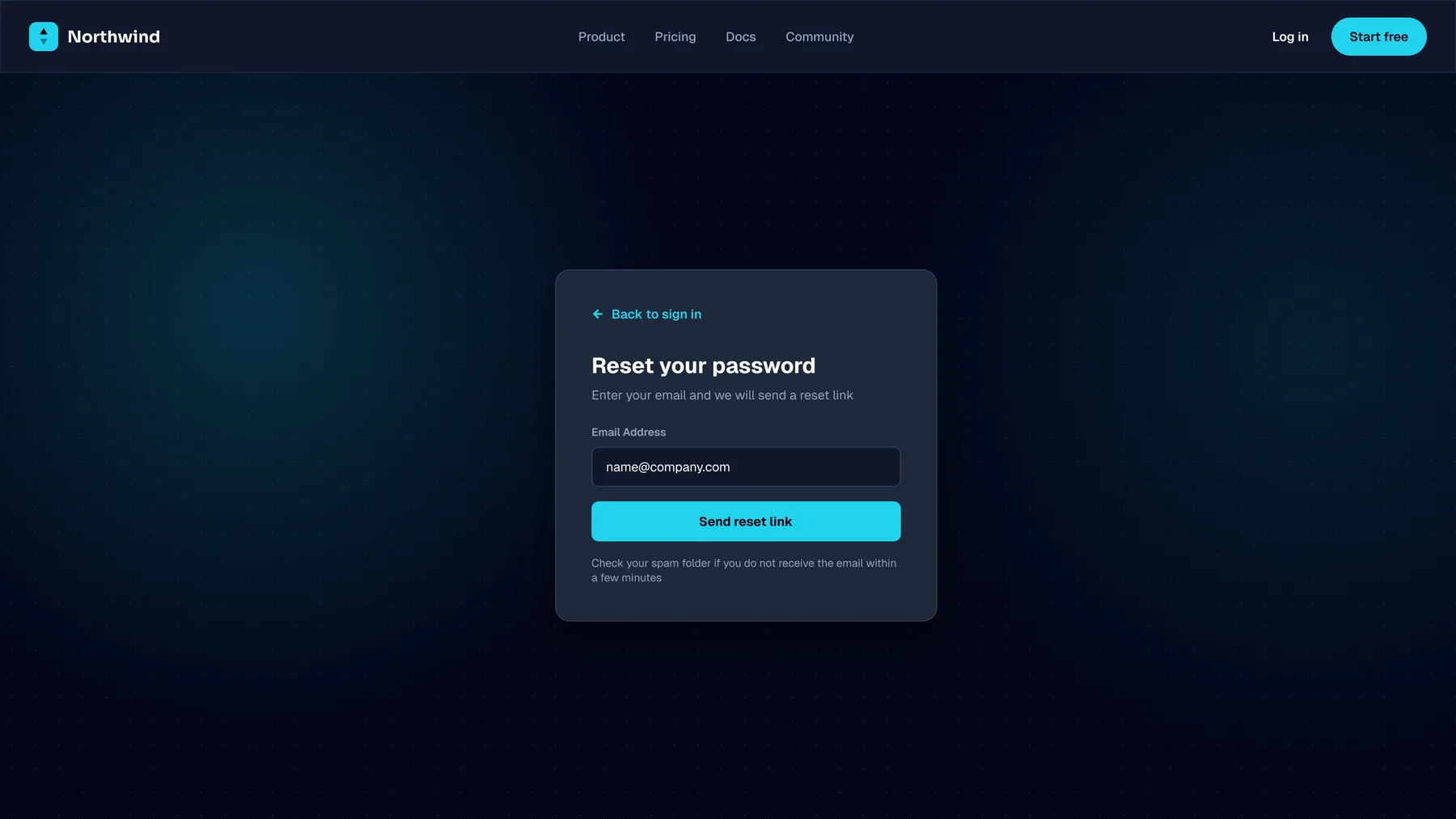
Northwind is an invented team-analytics tool for engineering teams, and this is its marketing site: homepage, product, pricing, docs, about and community pages, plus sign-in, sign-up and password reset. It's a design study. I specified it for a React and Tailwind build, the same stack this site runs on, but Northwind itself was never built, so there's no performance or conversion number to quote.
Key decisions
The hero shows the product: a weekly-velocity chart beside the headline.
Instead of describing it, to engineering leads who are allergic to marketing copy.
One ask, repeated after the proof.
Instead of making whoever is ready scroll back up to act.
On a phone, the dashboard stacks its metrics as cards.
Instead of squeezing the desktop table onto a small screen.
Results
- Marketing pages designed
- 6
- Account screens
- 3
Concept project: Northwind isn't a real client and was never built or launched, so there are no performance or conversion figures. These numbers describe the design itself, and each one is visible on this page.
The brief
A product that's easy to describe badly. Every analytics tool promises dashboards, so the homepage had to say what's different in one scroll and turn that into a free-trial sign-up. The audience is engineering leads, who are allergic to marketing copy, so the hero shows the product rather than describing it: a real-looking weekly-velocity chart beside the headline, with 'Start free trial' as the primary action and 'Book a demo' as the quieter second one.
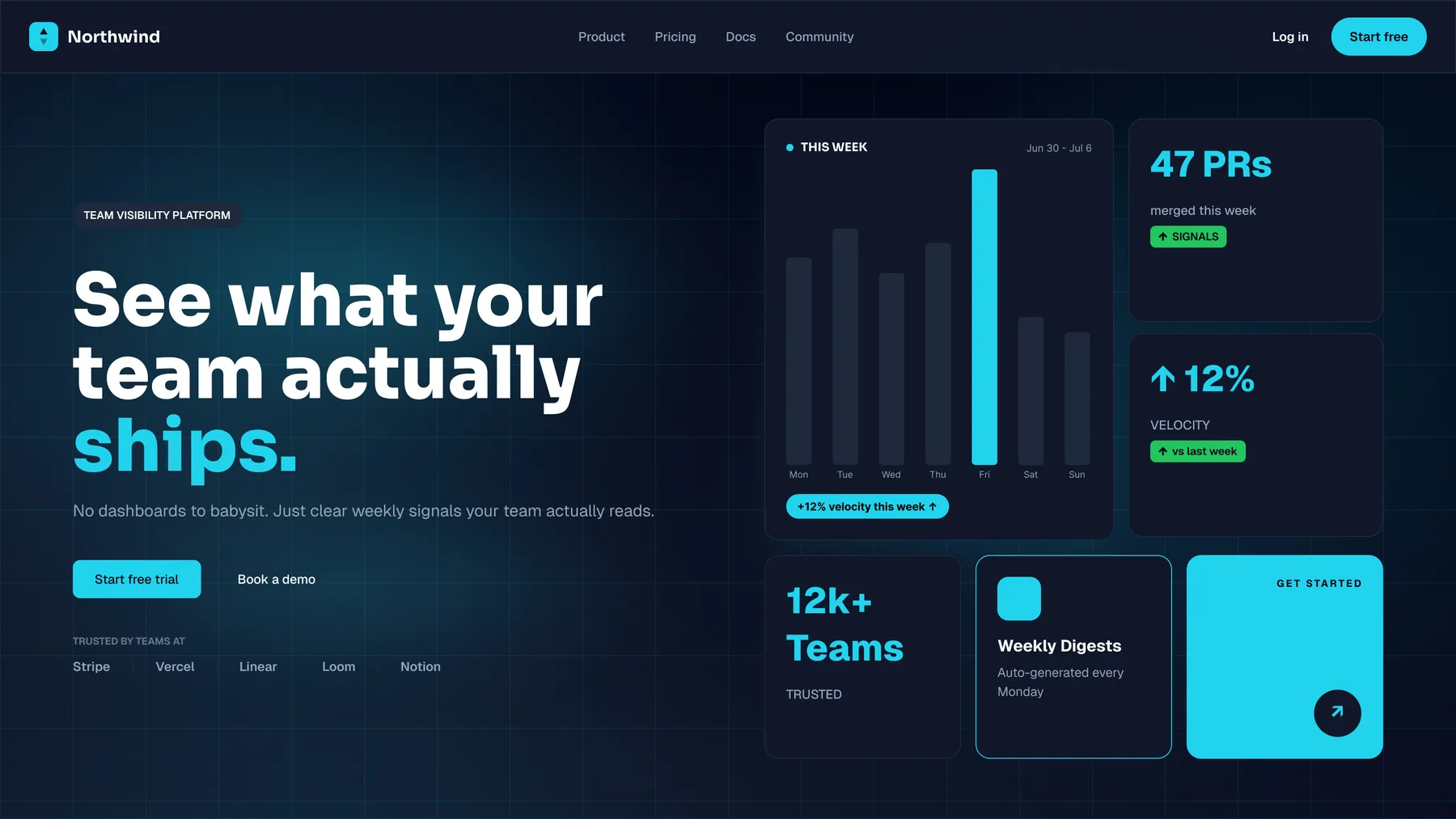
One scroll, one ask
The value props are three numbered cards you can take in at a glance: one digest every Monday, connect in two clicks, everyone sees the same picture. Each answers an objection a lead would raise before trying the product: more noise, painful setup, another tool only managers look at. The homepage asks for one thing, and the trial call to action comes back after the proof, so whoever is ready by then doesn't have to scroll back up to act.
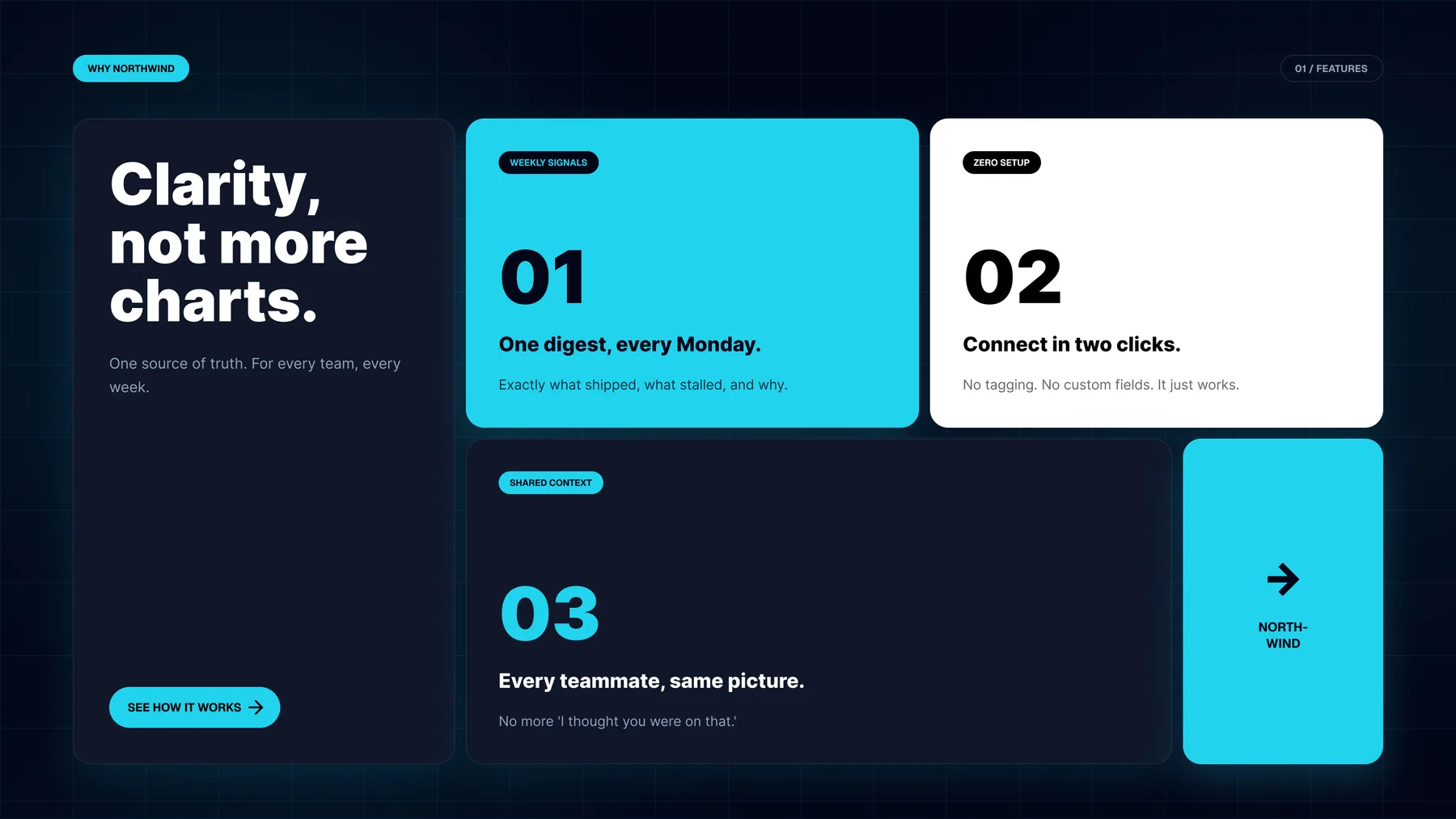
Proof, then the ask again
Social proof sits directly before the closing call to action, because that's where a skeptical reader needs it: a rating, a team count, and one testimonial whose line, 'We replaced three dashboards with one Monday-morning email', restates the value prop in a customer's words. Since Northwind is invented, so is every figure in that section. They're the content a real version of the page would need, not a claim about a real product.
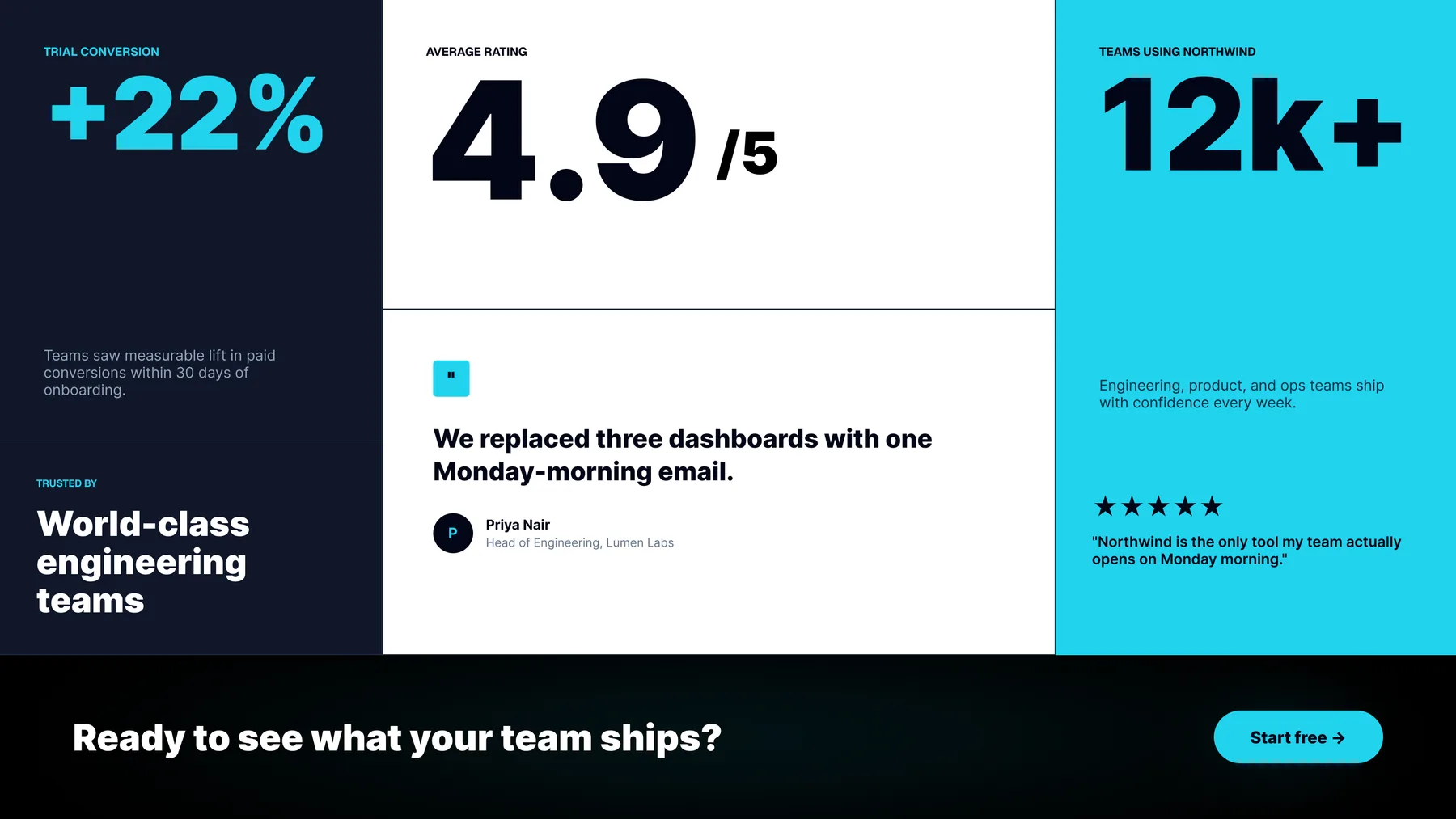
The product on a phone
Engineering leads check numbers between meetings, so I laid out the product dashboard at phone width as well: velocity, PRs merged and review time stacked as cards instead of squeezed into a table. The marketing pages are desktop comps. Their mobile versions would be the next set to design, and this frame is the pattern they'd follow.
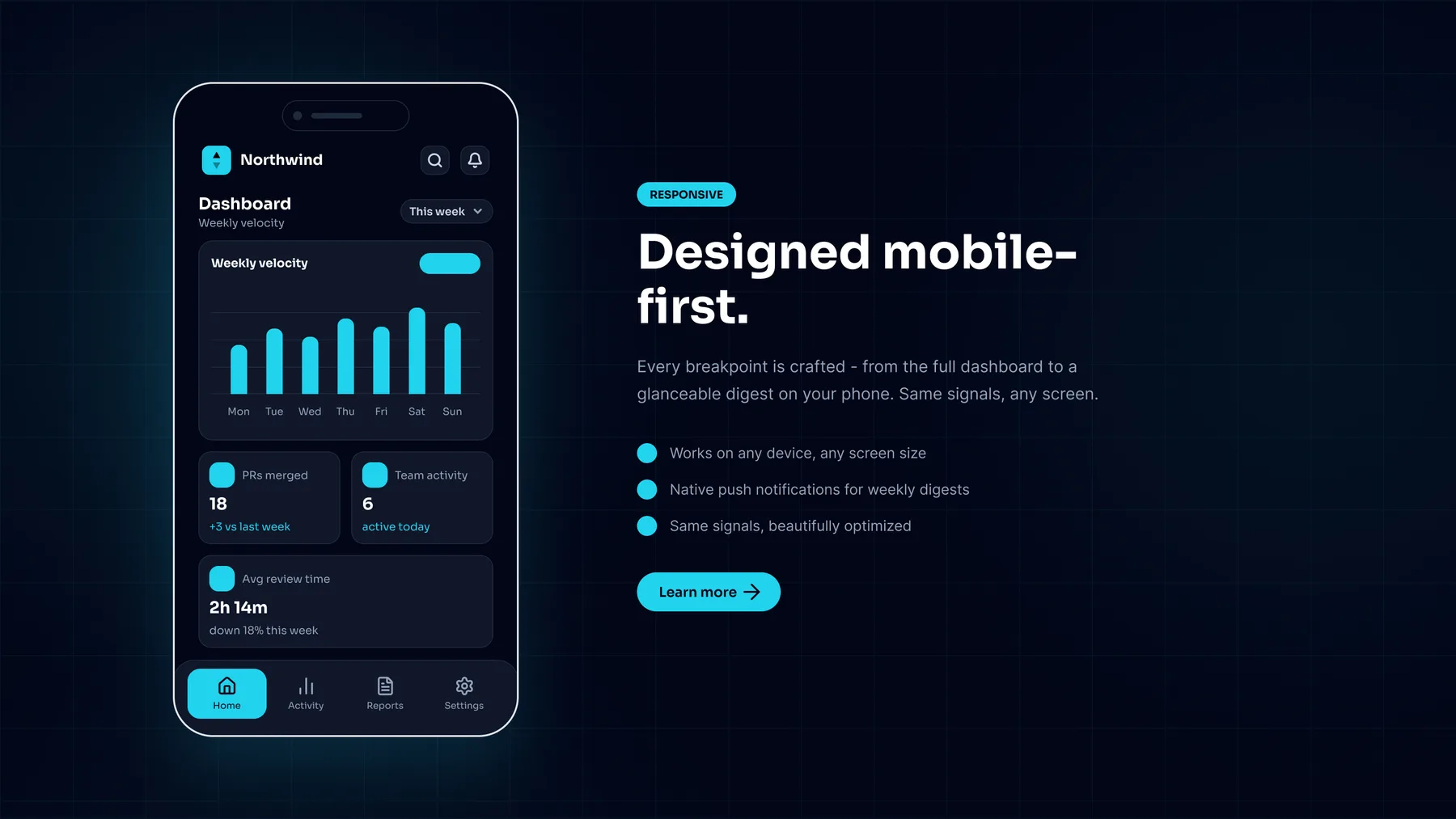
What I'd change
The page argues with itself. The hero says 'No dashboards to babysit' beside what is plainly a dashboard, and the value-prop headline below it is 'Clarity, not more charts'. I'd lead with the Monday digest, the one thing the page says is different, and let the dashboard come second. The one action also goes by three names in the first screen alone (Start free, Start free trial, Get started), which is three decisions for a reader when there should be one. I'd also design the first-run state before any more marketing pages. A team that has just connected GitHub sees an empty dashboard, and that screen decides whether the free trial the whole site is selling actually converts. It isn't in this set, and it's the most important screen Northwind doesn't have.
Want to talk about this work?
I'm open to UX/UI and product design roles, and happy to walk through any of this in more depth. I'll usually reply within a day or two.